API keys
Create and manage API keys for the Tuix RAG Service.
An API key authenticates requests your own applications make to the Tuix RAG Service, for example the search endpoint. You create and manage keys in the Tuix dashboard, under your profile.
Create an API key
In the dashboard, open your profile at the bottom of the sidebar and choose API Keys from the menu.
Click New API Key in the top right to open the dialog.
Enter a descriptive Key Name, e.g. "production API key".
Click Generate Key and copy the value right away.
The key is shown only once. After you close the dialog you cannot see it again. Copy it immediately and store it securely.
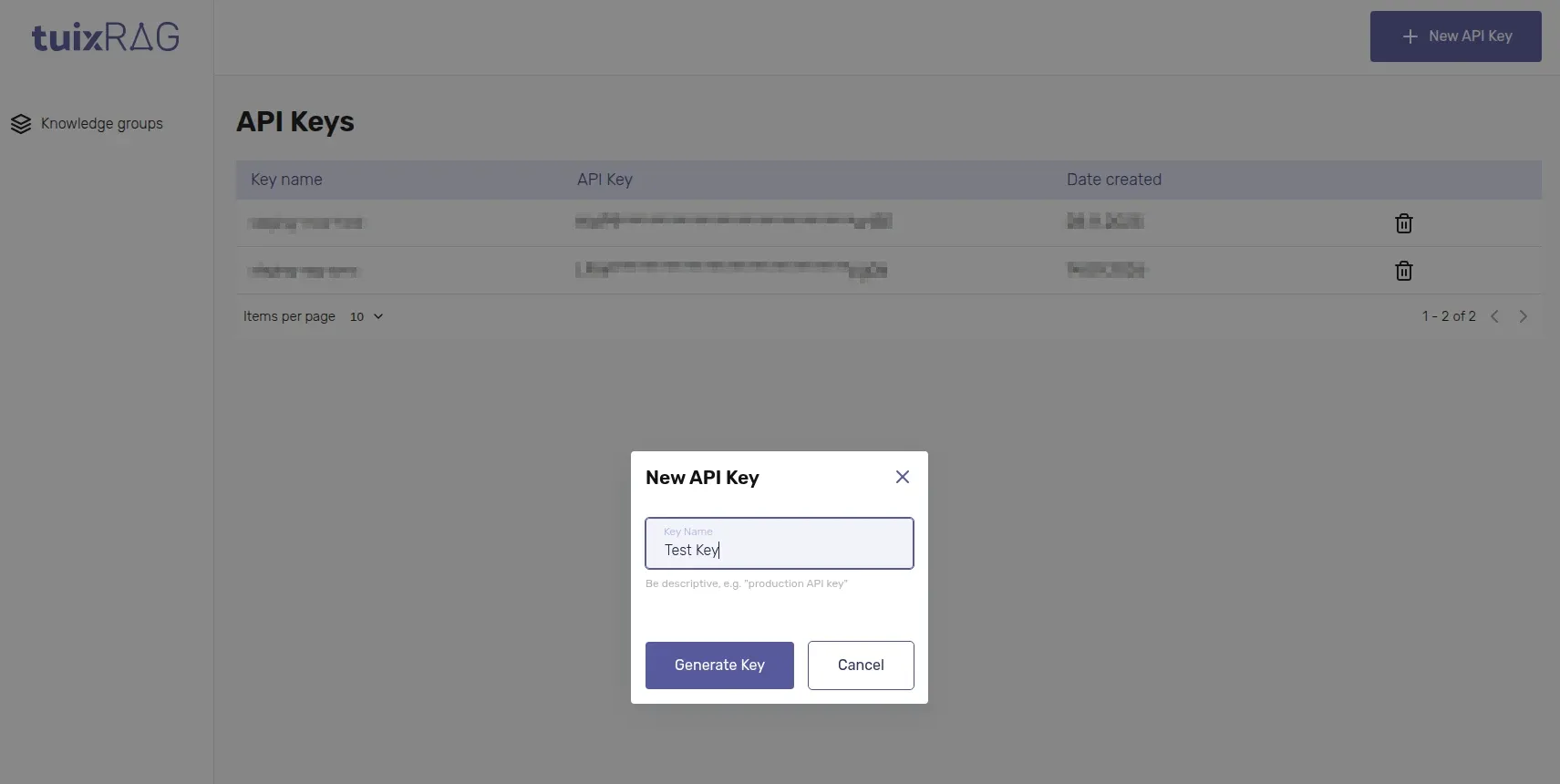
The table lists your keys by name, with a masked preview of the value and the creation date. Delete a key there when it is no longer needed; the deletion takes effect immediately.
Keep it private
An API key is a credential for your account, exactly like a password:
- Never commit a key to source control, or paste it into a public repository, chat or ticket.
- Never ship a key inside a browser bundle or a mobile app. Anyone can read it out of the client. Keep it on a server you control and call the RAG Service from there, see External integrations.
- Store it in an environment variable, e.g.
TUIX_RAG_API_KEY. - Use a separate key per environment and per consuming application, so any one of them can be revoked on its own if it is ever exposed.