Create a Knowledge Group
Create a Knowledge Group in the Tuix dashboard.
A Knowledge Group is a container for your knowledge. Every resource belongs to exactly one group, and every search runs against one group, whose ID is part of the request path. Before adding any content, create a group in the Tuix dashboard.
Create a Knowledge Group
In the dashboard, open Knowledge groups and click Add new group.
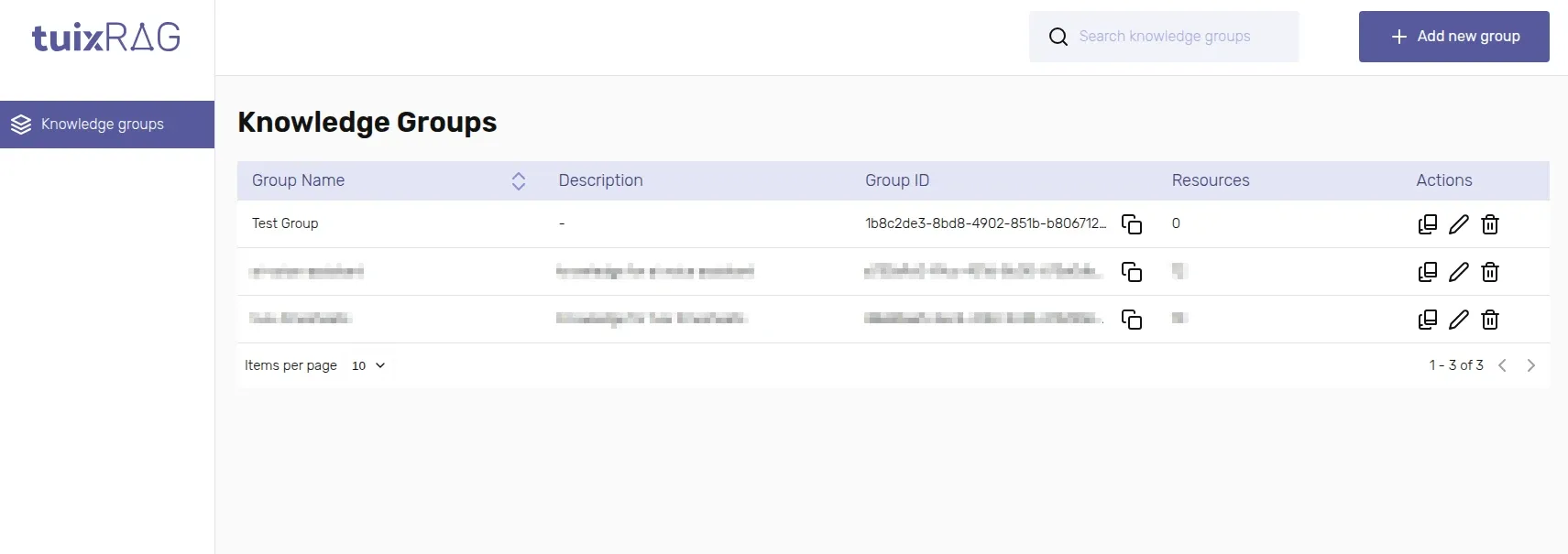
Click Add. The new group appears in the table with its own Group ID.
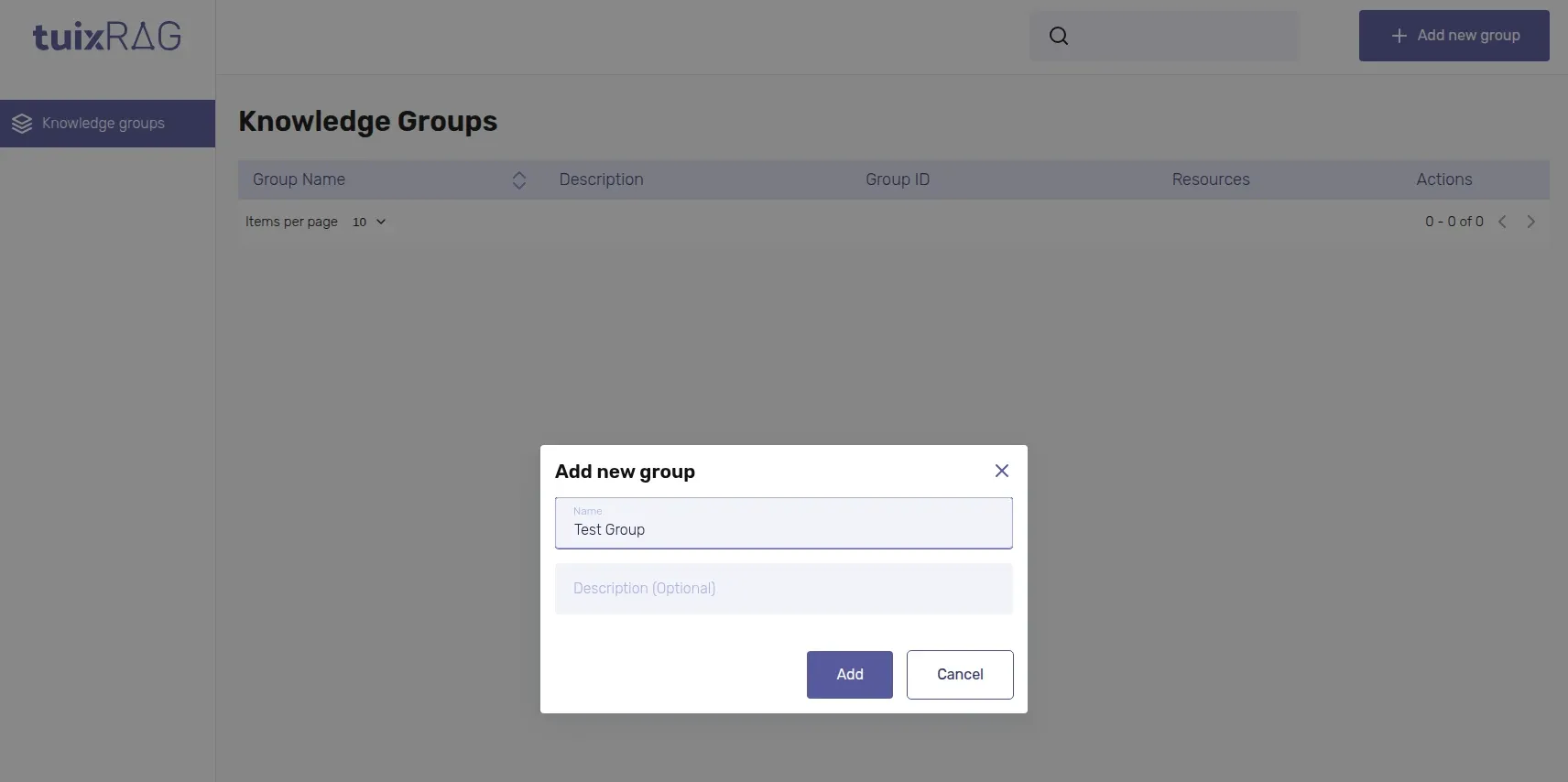
| Field | Required | Description |
|---|---|---|
Name | Yes | Name of the group, e.g. "Support articles". |
Description (Optional) | No | Free text, only shown in the dashboard. |
Resources belong to a group. A search only ever looks through the resources of the group it is run against, so keep unrelated knowledge in separate groups.
Finding your Group ID
The Knowledge groups table lists every group with its Group ID next to a copy icon, along with how many resources it currently holds. You will need this ID to add resources and to search, see Prerequisites.
Deleting a group deletes every resource inside it. There is no undo.
Updating a group
Open the same dialog from the table's Update group action to rename a group or change its description.